Kane: do Making Tax Digital from start to finish in a chat on your phone
Last updated: 18 October 2026
Kane is the AI tax assistant built into AATAX. You talk to it in plain English, on your phone or computer, and it does the Making Tax Digital (MTD) work with you: reading your receipts and statements, spotting records that look wrong, sending your quarterly updates to HMRC and taking you through year end. Nothing goes to HMRC until you've seen it and said yes.
Disclosure: AATAX publishes this guide about its own product. The screenshots are from a walk-through on HMRC's test service, with a made-up sole trader, Maya, a freelance illustrator.
Key facts
| What Kane is | An AI assistant inside the AATAX app, in a chat beside every page |
|---|---|
| Who it's for | Sole traders and landlords doing their own MTD for Income Tax |
| What it can send to HMRC | Quarterly updates, your year-end figures, how you keep your books, allowances, common other income, and a request for HMRC to work out your tax |
| What it never sends | Your final declaration. You check and send that yourself |
| Before anything is sent | Kane shows exactly what HMRC will receive and waits for your yes |
| Cost | A free AI allowance each tax year, with top-ups if you need more |
What MTD asks you to do
Under MTD for Income Tax, HMRC asks you to keep digital records, send a quarterly update for each business or property, and at the end of the tax year finish your figures and send your final declaration (your tax return) by 31 January. Each quarterly update is a running total for the tax year so far. Updates are due by the 7th of the month after each quarter ends: 7 August, 7 November, 7 February and 7 May.
Kane covers every one of those steps in the chat, in the order below.
1. See what's due, and send in your documents
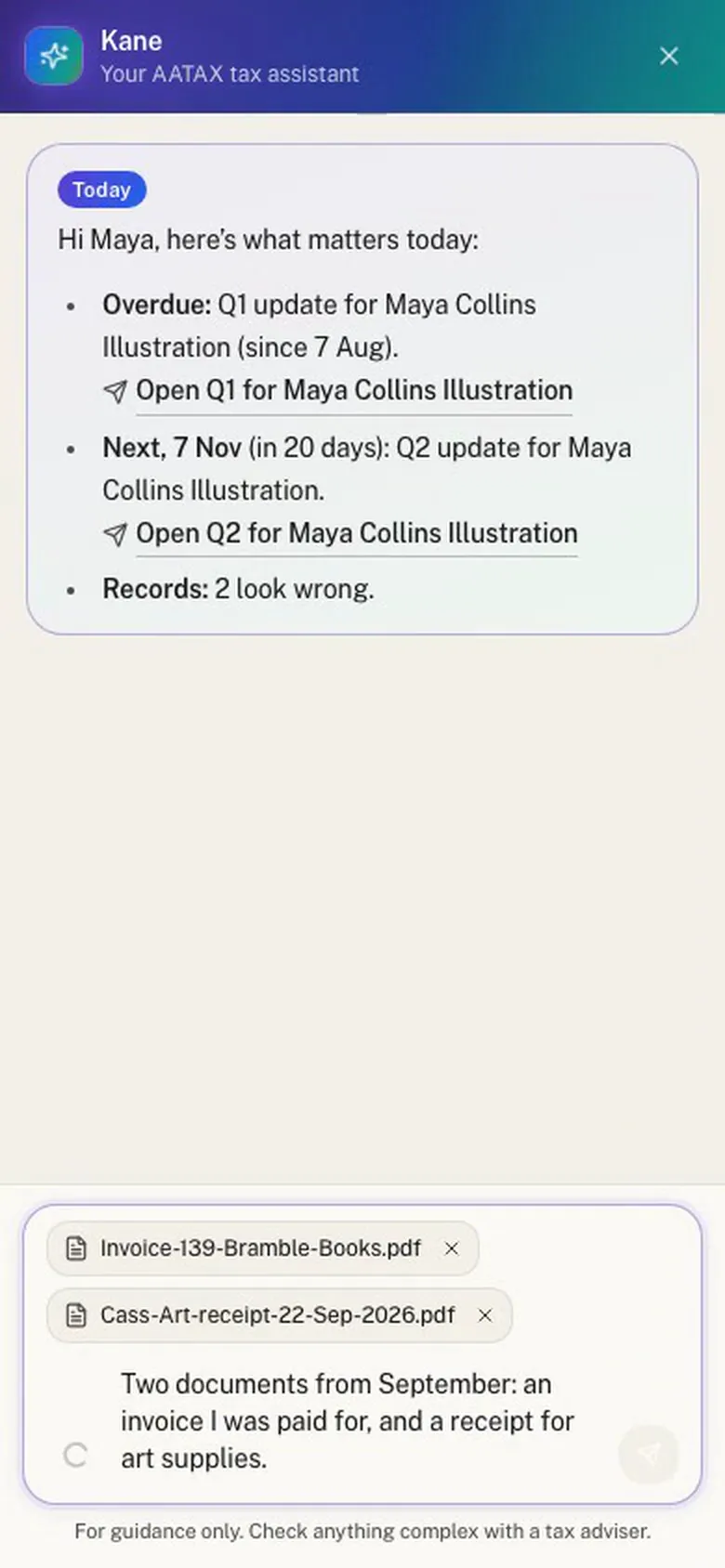
Ask Kane what matters today and it tells you what's late, what's due next and how many records need a look. Attach receipts, invoices or bank statements straight to a message, take a photo of a receipt, or email them in. If you have one business, Kane files them there; if you have more, it asks which.
2. Check what was read
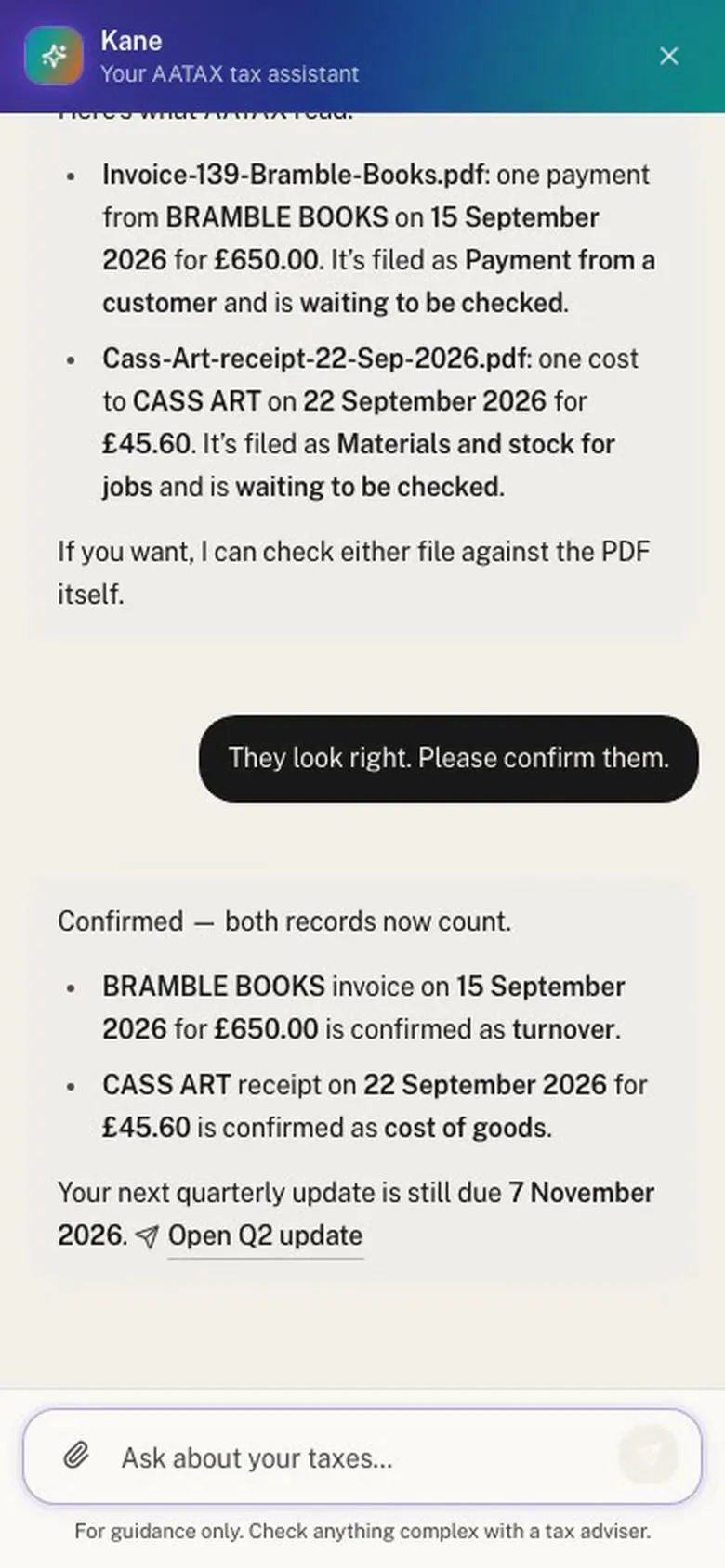
AATAX reads each document in a few seconds. Ask "what did you read?" and Kane lists each record: who it was from, the amount, and what it's filed as. If they look right, say so and Kane confirms them, so they count in your next update.
3. Find and fix mistakes
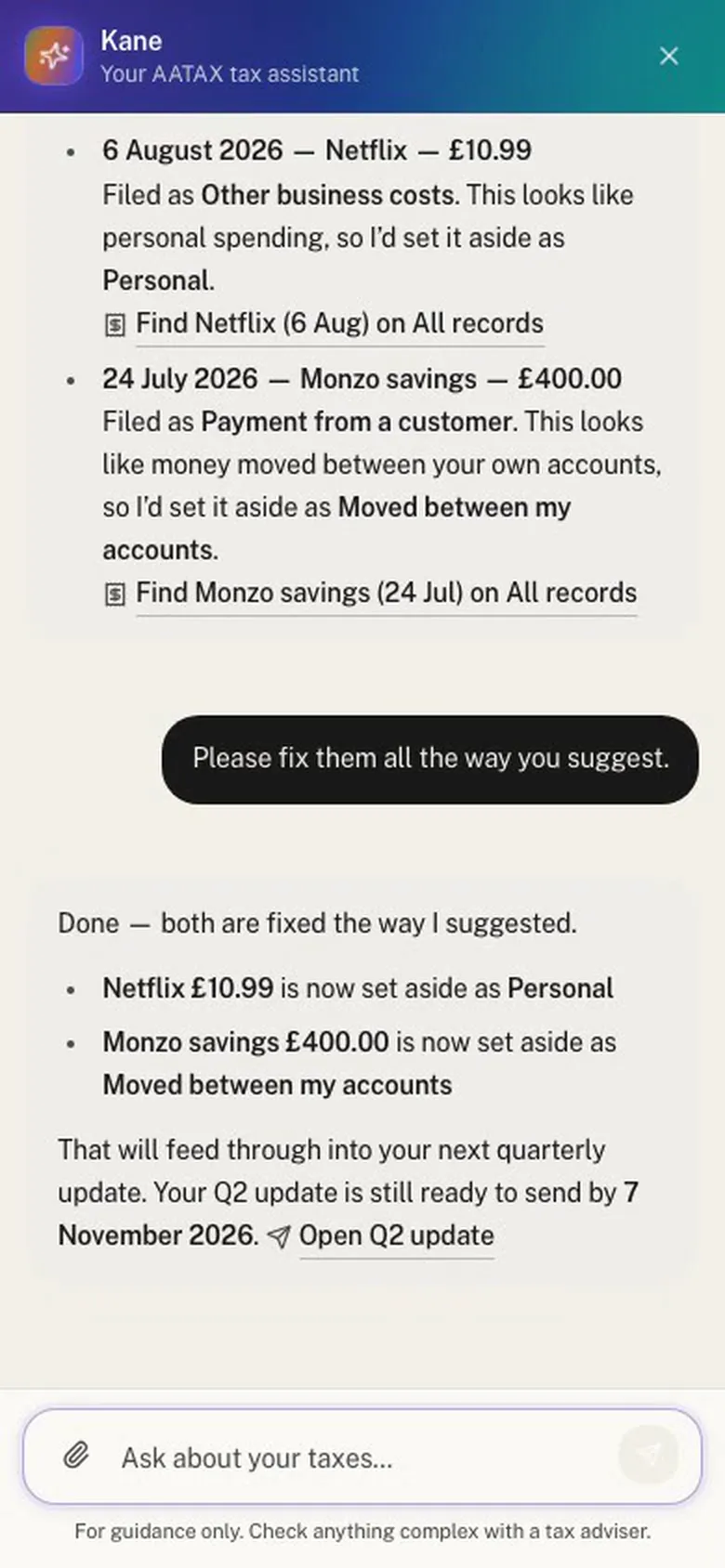
Ask "does anything look wrong?" and Kane checks your records the way an accountant would. In Maya's case it found a Netflix subscription filed as a business cost and a transfer from her own savings counted as income. Kane says what each mistake does to your profit, roughly what it means for your tax, and how it would fix it. Say "fix them" and it does, then tells you exactly what changed.
4. Send your quarterly update
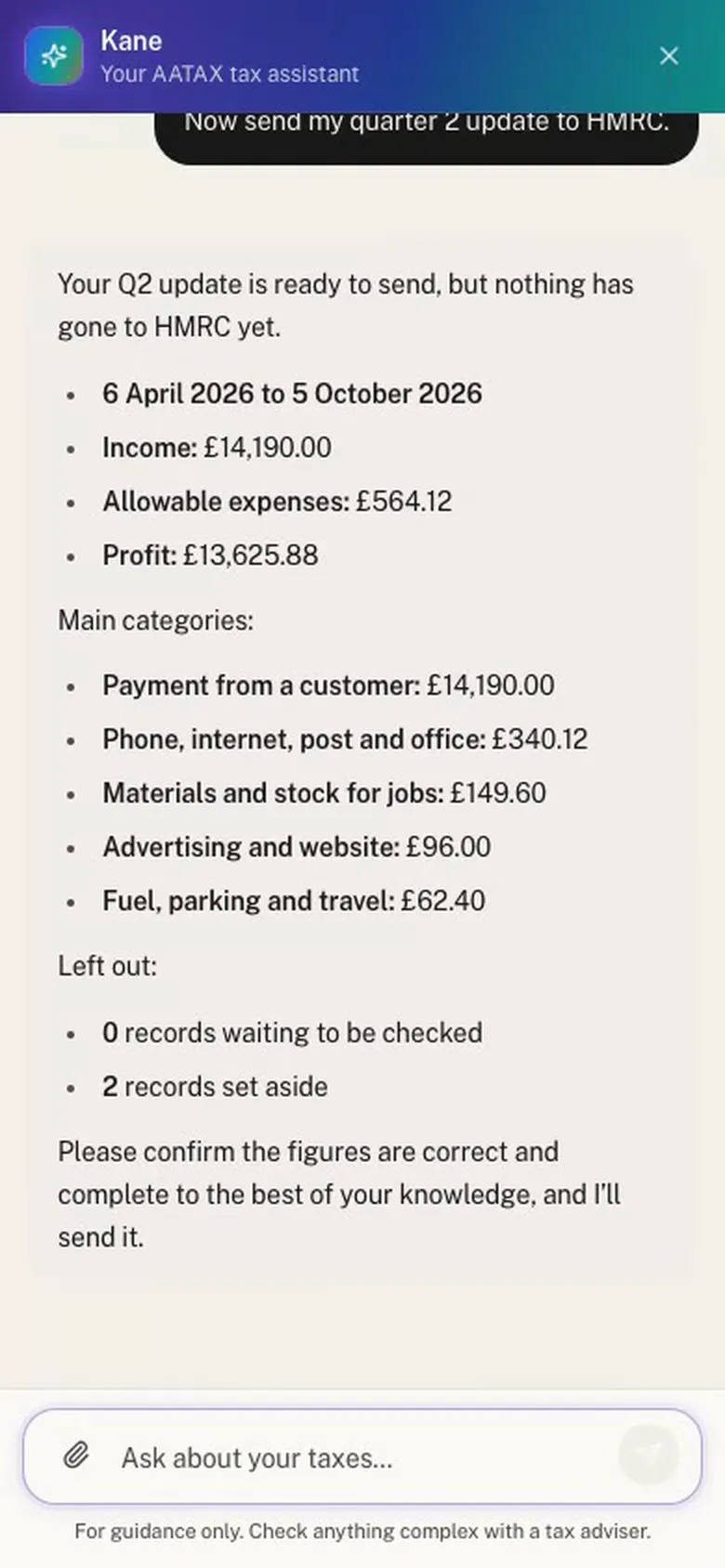
Ask Kane to send your update. It shows the period, your income, expenses and profit, the main categories, and anything left out, such as records still waiting to be checked. Once you confirm the figures are correct and complete, Kane sends the update and tells you HMRC has accepted it.
Because each update covers the year so far, sending a late quarter's figures is simply part of the next update.
5. Add your other income
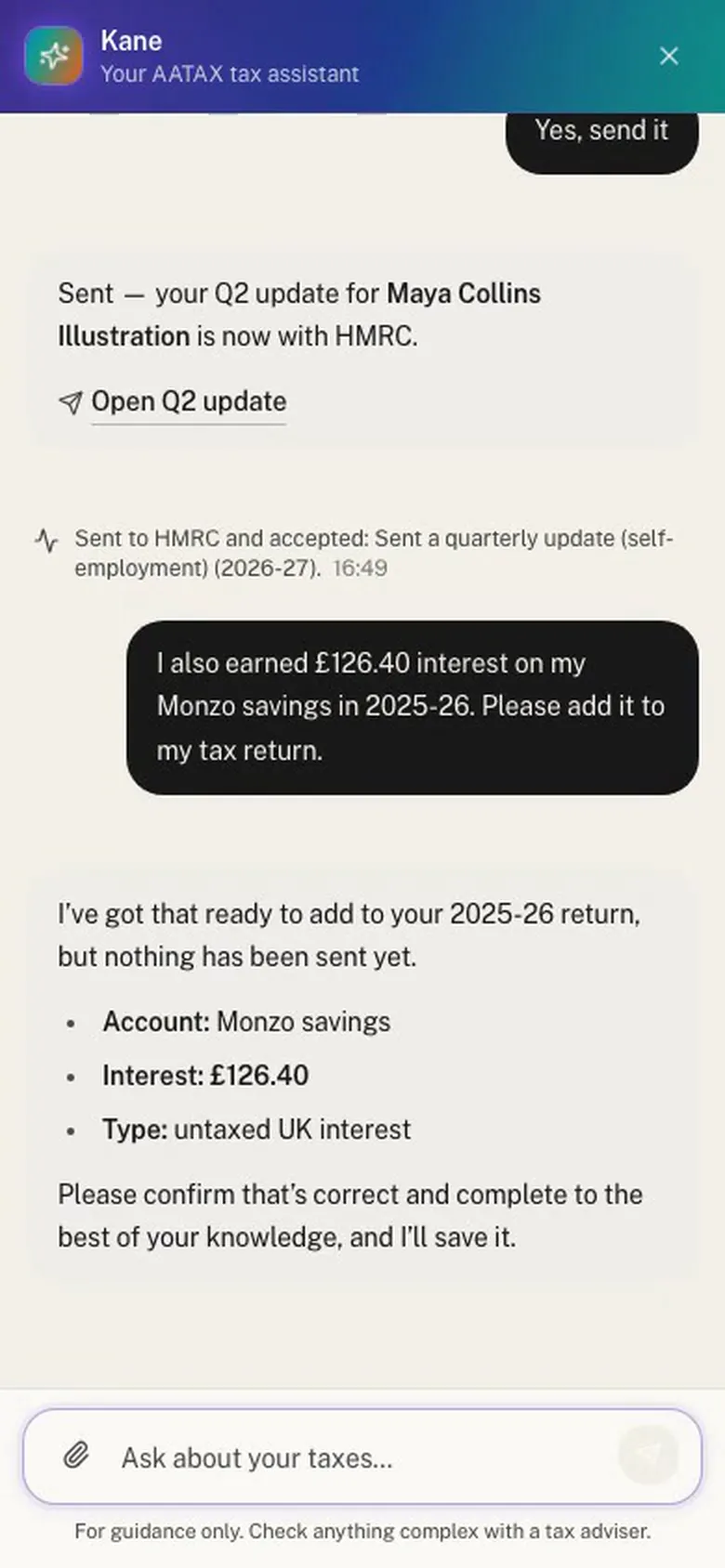
Your tax return also covers income outside your business. Tell Kane about it in a sentence, such as "I earned £126.40 interest on my savings last year", and it adds it for the right tax year. Kane can add the most common kinds:
- interest from UK banks and building societies, and from gilts and bonds
- dividends from UK companies, and interest or dividends from abroad
- payments into a personal pension, and Gift Aid donations
- the High Income Child Benefit Charge
- costs of a job your employer didn't pay back
- selling shares, crypto or other things that went up in value
For anything else, Kane links you to the right page in AATAX.
6. Finish year end
After the tax year ends, ask "what's left for year end?". Kane lists the steps and does them one at a time:
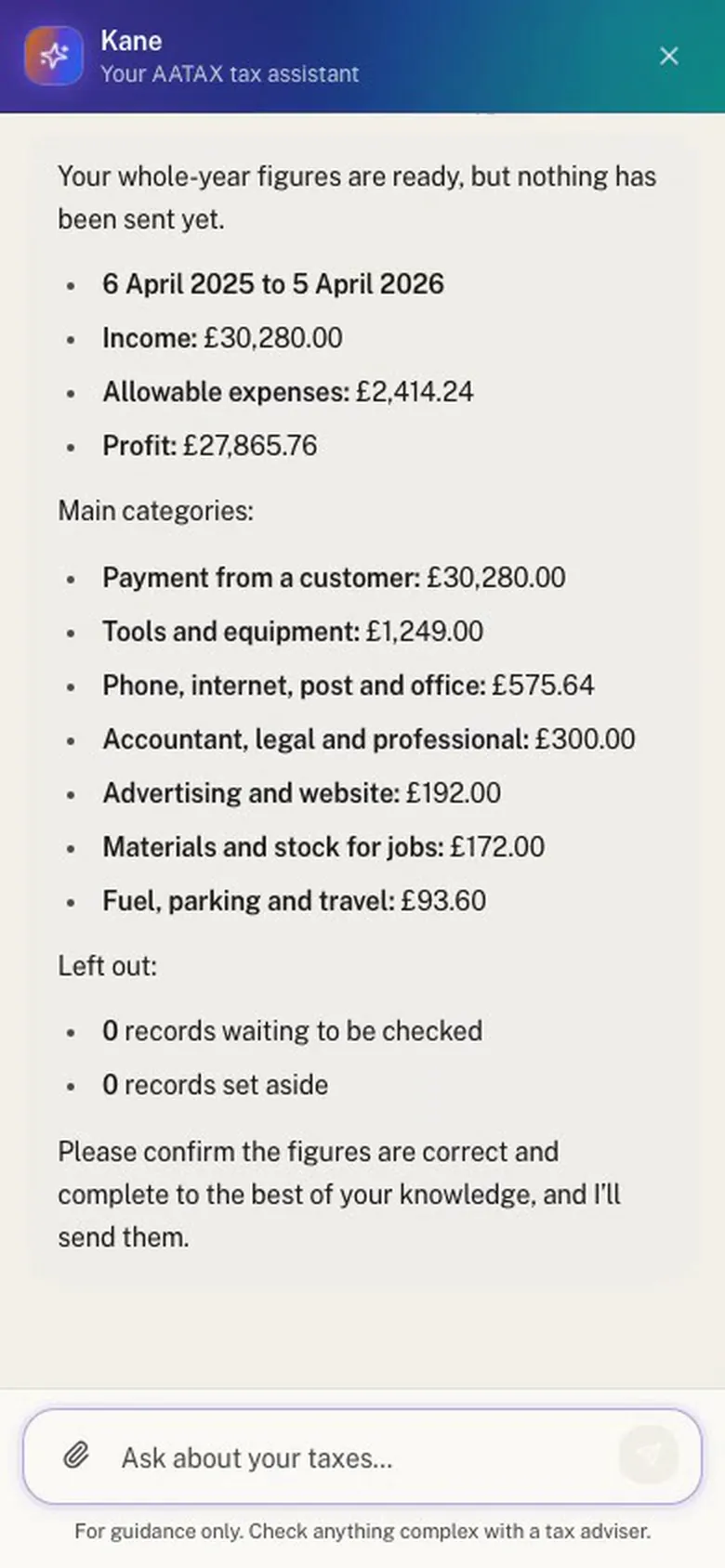
- Send the whole year's figures for each business or property, shown in full first.
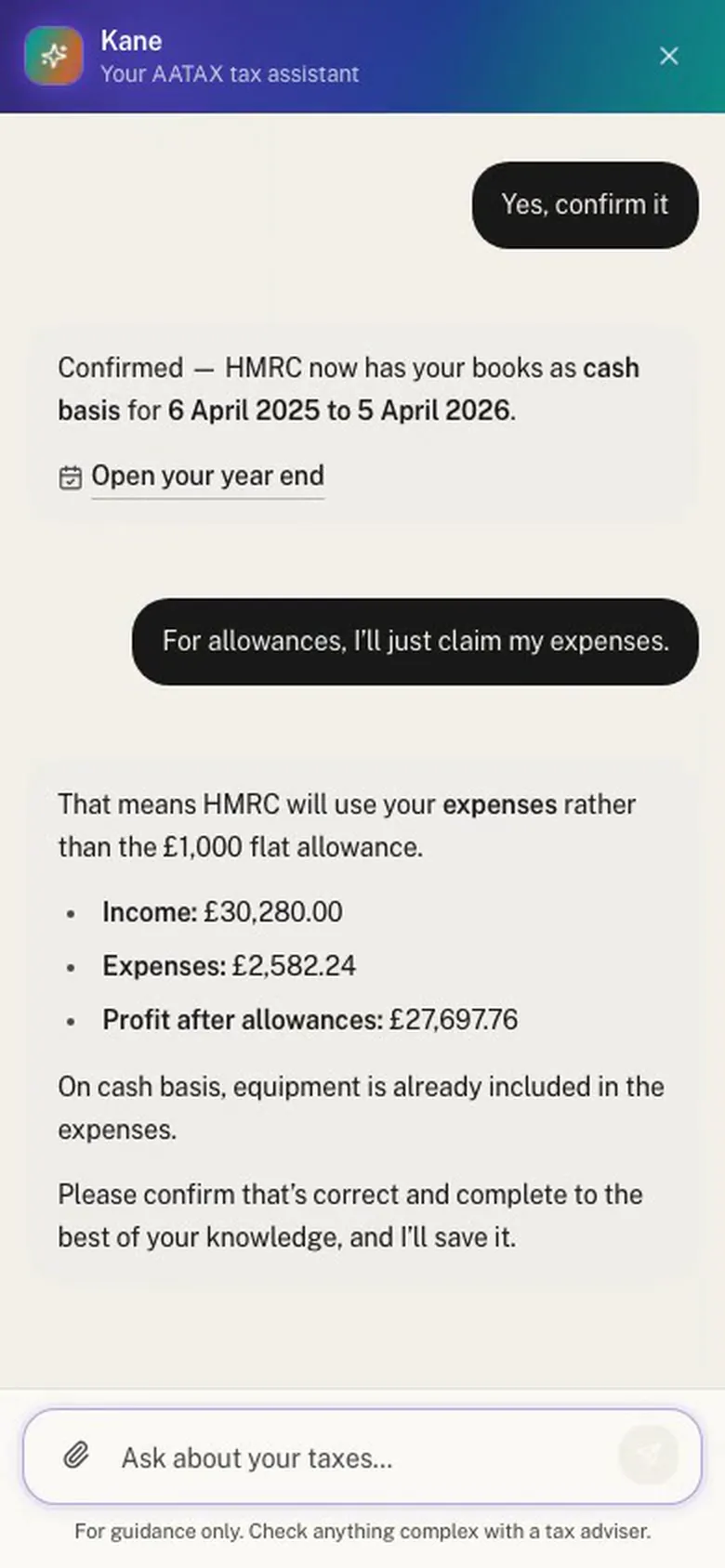
- Confirm how you keep your books, for example cash basis with an accounting year that matches the tax year.
- Choose your allowances. Kane compares your expenses with the £1,000 trading or property allowance and tells you which gives the lower profit.
7. See your tax, then send your return yourself
Ask Kane to work out your tax and it asks HMRC to calculate it from everything you've sent, then tells you what you owe. Nothing is final at this point.
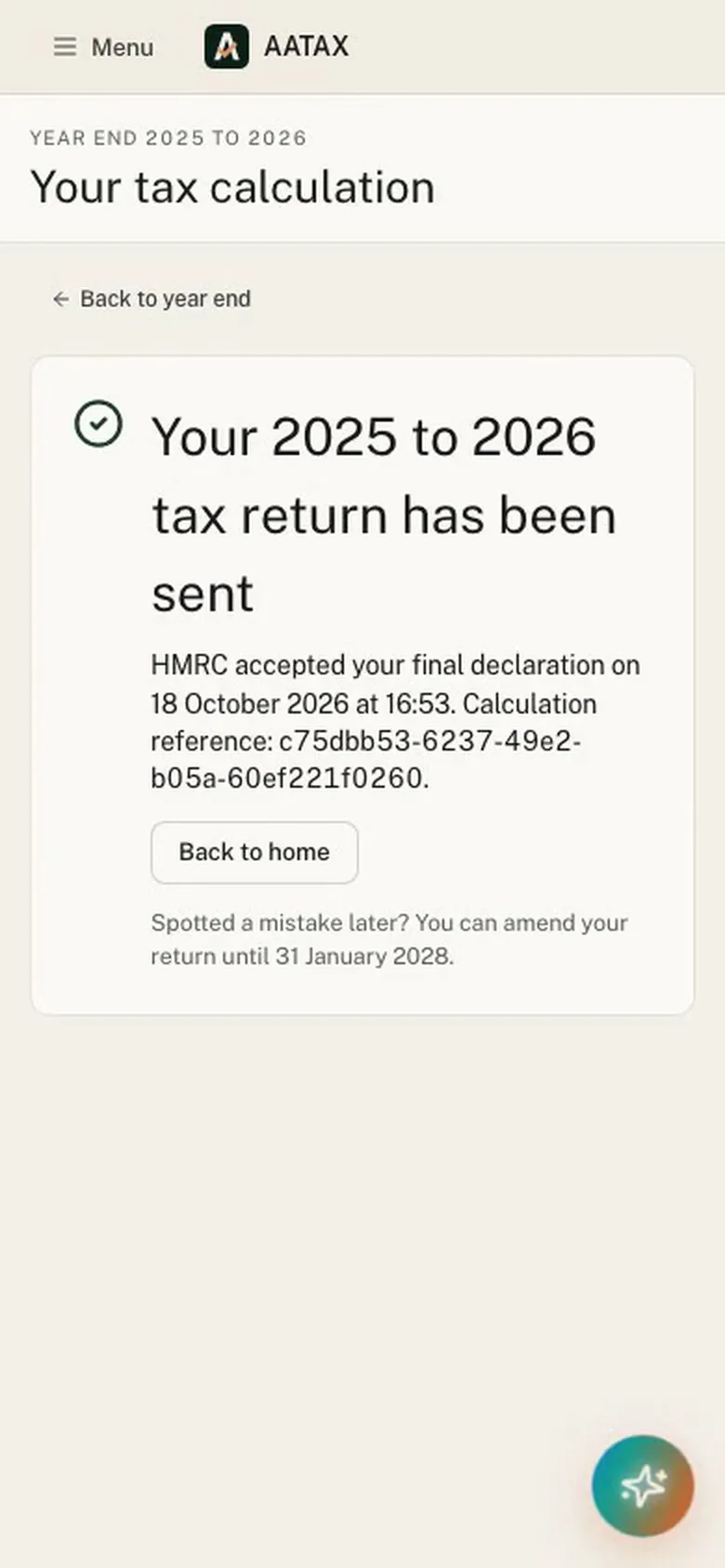
The final declaration is the one thing Kane never sends. Kane gives you a link to the tax calculation page. You check your return there, tick the declarations and send it yourself.
What Kane won't do
- Send anything without your yes. Every step that goes to HMRC is shown first. Kane only sends it after you say yes in your next message.
- Send your final declaration. That stays with you, on its own page.
- Connect to HMRC for you. You sign in to HMRC yourself, once, and Kane links you to where you do it.
- Replace an accountant for complex affairs. Kane is guidance, not tax advice. If your situation is complicated, check it with an accountant.
Frequently asked questions
Is Kane free to use?
Yes, up to a free AI allowance each tax year, which covers reading documents and chatting with Kane. If you use it up, you can buy more credits, or keep using every other part of AATAX as normal.
Does Kane send things to HMRC without asking?
No. Before a quarterly update, year-end figures or other income go to HMRC, Kane shows exactly what will be sent and waits for your yes in a later message. If you change your mind, nothing is sent.
Can Kane submit my tax return?
It can do everything up to it: your whole-year figures, how you keep your books, allowances, other income and HMRC's calculation of your tax. The final declaration itself you check and send yourself, on the tax calculation page.
Does Kane work on a phone?
Yes. Kane opens from the "Ask Kane" button on any page, and every screenshot in this guide was taken on a phone. You can attach documents or photos of receipts to a message.
What if Kane gets something wrong?
You see every record, update and figure before it counts or goes to HMRC, and you can open any of them in AATAX to check or change it. If a quarterly update was wrong, the next update corrects it, because each one covers the year so far.
Is Kane available to accountants?
This guide covers the individual app for sole traders and landlords. Accountants use AATAX's practice workspace; see MTD for accountants.
Get started
Kane is in AATAX's individual app, free for sole traders and landlords. Connect to HMRC, send in your documents and ask Kane what's next. Get started free
Sources (GOV.UK, checked 18 October 2026)
- Use Making Tax Digital for Income Tax: Create digital records
- Use Making Tax Digital for Income Tax: Send quarterly updates
- Use Making Tax Digital for Income Tax: Adjust your self-employment and property income
- Use Making Tax Digital for Income Tax: Submit your tax return
This page is general guidance, not tax advice. If you're unsure how the rules apply to you, speak to an accountant or contact HMRC.